https://www.eventid.net/display.asp?eventid=50&eventno=606&source=TermDD&phase=1 skrev:
1. Encryption levels defined on the RDP-TCP connection (or ICA, if appropriate), are set too high for the client to successfully negotiate. For example, a client set to Low encryption would be unable to connect to a server with High (or now, FIPS compliant) encryption levels defined. Additionally, XP and XP SP1 clients are currently unable to connect at all if "FIPS compliant" encryption level is set (article in progress on this issue).
To check this, open Terminal Services Configuration (tscc.msc) on the Terminal Server, select the RDP-Tcp connection, select properties, and view the Encryption settings on the General tab. Verify that this is set to Client Compatible, or low, and retest the connection (if needed).
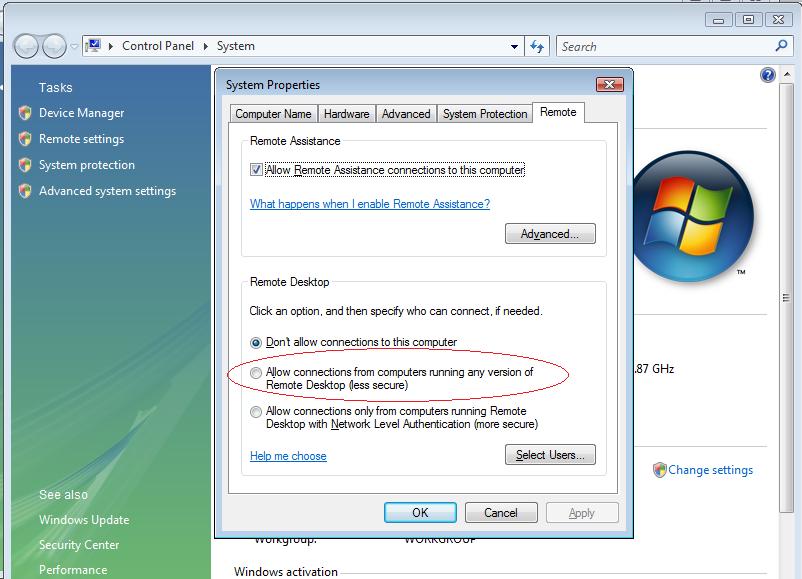
Det finns ingen tscc.msc eller motsvarande i Vista där jag kan konfigurera krypteringen, jag kan bara väja att godkänna alla RD-klienter, inga klienter alls, eller de från vista som stödjer högre kryptering. Jag har valt alla.
https://www.eventid.net/display.asp?eventid=50&eventno=606&source=TermDD&phase=1 skrev:
2. Another frequent cause of these problems stems from issues with some registry values in the TermService\Parameters registry key. To this end, could you export the following key: HKLM\System\CurrentControlSet\Services\TermServices\Parameters
After doing this, delete the Certificate, X509 Certificate, and X509 Certificate ID values, and restart the Terminal Server. These values should be regenerated on reboot (but keep the Exported values just in case). This is documented in M323497. The X509 Certificate and X509 Certificate ID values have also been known to cause this problem, so delete them as well. Also see M329896. In 9 out of 10 cases this resolves the issue.
Under HKLM\System\CurrentControlSet\Services\TermServices\Parameters finns inget Cerifikat, i hela registret i Vista finns inget "X509 Certificate" alls.
https://www.eventid.net/display.asp?eventid=50&eventno=606&source=TermDD&phase=1 skrev:
3. The third possibility is that some software you are installing is overwriting some of the files needed for the protocol stream. Schannel.dll, rsaenh.dll, and several others are involved in this process.
Jag har inte installerat någon under från det att det fungerade till det att det slutade fungera. Men jag ska för säkerhesskull göra en System restore så jag ahr det ur världen.
EDIT: Återställning gjord till installationsdagen, då det fungerade, samma problem.
Andra tips mottages gärna under tiden! :)