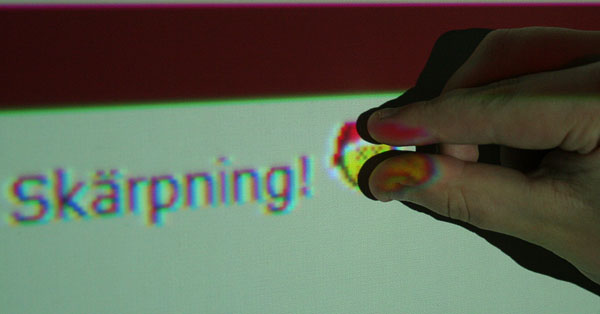
Ja .. funderade på det idag på frukostrasten .. hur stor är egentligen en pixel?
En pixel kan vara olika stor beroende på i vilket format den visas i. Tex en TV med stor upplösning har fler pixlar med mindre storlek än en TV med sämre upplösning.
Dvs en TV med upplösningen 1080 dpi (dotts per inch) motsvarar upplösningen 1920×1080 stycken pixlar.
Men vi vet ju fortfarande inte hur stor en pixel är. Fan, en pixel är en pixel, iaf mindre än en cm och större än en molekyl!
Jag har kommit på varför jag stör mig på att det inte går att bestämma en fysisk storlek på en pixel. För mig är pixel en måttenhet som kommer från webbutvecklingen. När jag skapar en tabell på en webbsida bestämmer jag hur många pixlar bred den ska vara. Om jag sedan skriver ut tabellen på ett papper så blir den ett visst antal millimeter bred på pappret. Alltså kan jag i det fallet räkna ut exakt hur stor en pixel är.
Jag tar frågan till en ny nivå. Hur lyder formeln för att räkna ut storleken på en pixel?
På skrivare har man ett mått som heter DPI som betyder punkter per tum. Skriver du ut i 300 DPI har du alltså 300 punkter per tum och utifrån det kan du ju bestämma hur stor en punkt är.
En CSS pixel antar en upplösning på 96dpi, men sen kan allting zoomas ut och in och därmed ändra storleken på en CSS pixel. (En CSS pixel -- som man använder i webbutvecklingen -- är inte (nödvändigtvis) samma sak som en pixel på skärmen.)
It goes into a special data sink in the CPU where it is converted to heat which is vented through the heatsink / fan assembly. This is why CPU cooling is increasingly important; as people get used to faster processors, they become careless with their data and more and more of it ends up in /dev/null, overheating their CPUs. If you delete /dev/null (which effectively disables the CPU data sink) your CPU may run cooler but your system will quickly become constipated with all that excess data and start to behave erratically. If you have a fast network connection you can cool down your CPU by reading data out of /dev/random and sending it off somewhere; however you run the risk of overheating your network connection and / or angering your ISP, as most of the data will end up getting converted to heat by their equipment, but they generally have good cooling, so if you do not overdo it you should be OK.
Paul Robinson adds:
There are other methods. As every good sysadmin knows, it is part of standard practice to send data to the screen of interesting variety to keep all the pixies that make up your picture happy. Screen pixies (commonly mis-typed or re-named as “pixels”) are categorized by the type of hat they wear (red, green or blue) and will hide or appear (thereby showing the color of their hat) whenever they receive a little piece of food. Video cards turn data into pixie-food, and then send them to the pixies -- the more expensive the card, the better the food, so the better behaved the pixies are. They also need constant stimulation -- this is why screen savers exist.
To take your suggestions further, you could just throw the random data to console, thereby letting the pixies consume it. This causes no heat to be produced at all, keeps the pixies happy and gets rid of your data quite quickly, even if it does make things look a bit messy on your screen.
Incidentally, as an ex-admin of a large ISP who experienced many problems attempting to maintain a stable temperature in a server room, I would strongly discourage people sending the data they do not want out to the network. The fairies who do the packet switching and routing get annoyed by it as well.
Om du tar en kikare och vänder på den så fungerar den som ett mikroskop om man har objektet riktigt nära. Sätt kikaren bakomfram direkt mot skärmen så ser du de individuella pixlarna och kan på så sätt se hur stora de är.