

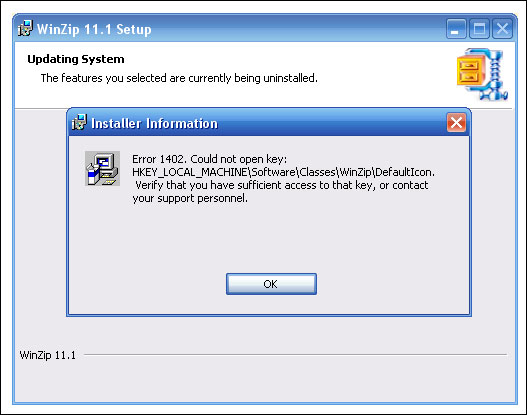
What tends to work in a lot of these cases is to reinstall the offending application then try to remove it again
If it's leaving little pieces of itself in the registry or in the Startup folder (that sounds like what's happening --
WinZip has a QuickPick icon that lives in the system tray beside your clock, and the entries that govern that behaviour live in the registry), then it hasn't been removed completely. When you reinstall it, right-click on that icon and disable QuickPick. Then try uninstalling it again -- either from the Control Panel's Add/Remove Programs applet or from the Start Menu.The message that Windows was using the application comes from the fact that the QuickPick icon was active, I suspect.
Det viktiga är då att stänga ner iconen vid klockan när du ominstallerat, samt är ju att inte ha andra program igång samtidigt som du avinstallerar. hoppas det här tipset fungerar.